Updating Your Global Summit Event Platform Profile
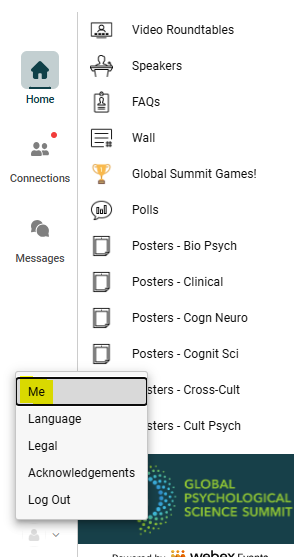
1. From the APS Global Summit Event Platform Home Page, click on the small person icon on the bottom left side of your screen.
2. Click on “Me” in the menu that pops up. This will take you to the “My Profile” section.
3. In the “My Profile” section, click on the “Edit” button at the top right-hand corner. Then click “Edit” again in the right-hand corner. This will allow you to change your name, affiliation, location, and photo.
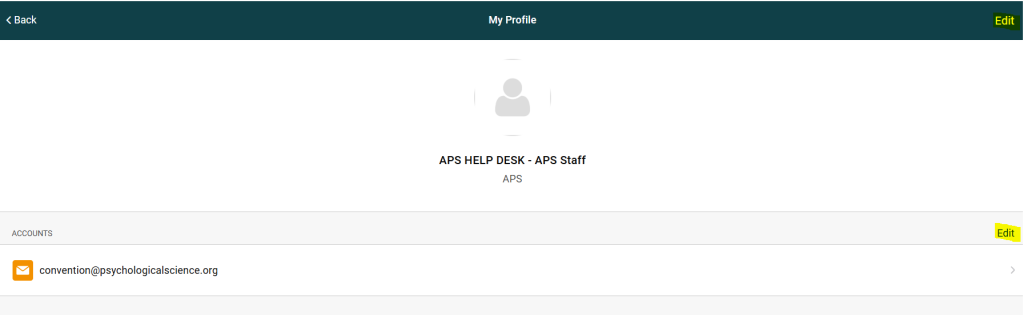
4. By clicking on the “Edit” button by accounts, this will allow you to add your LinkedIn, Twitter accounts, etc. Please do not update your email address.
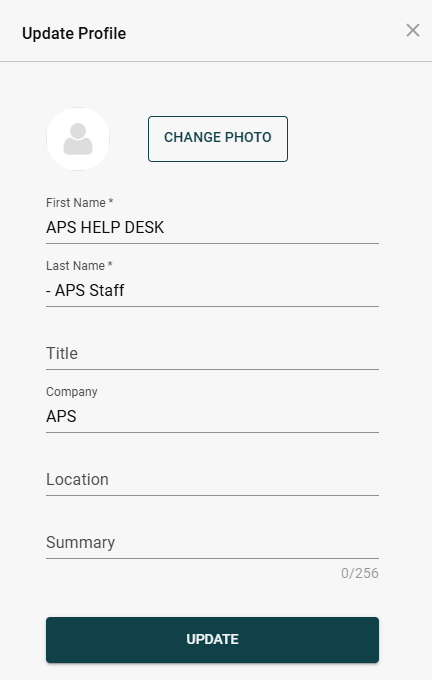
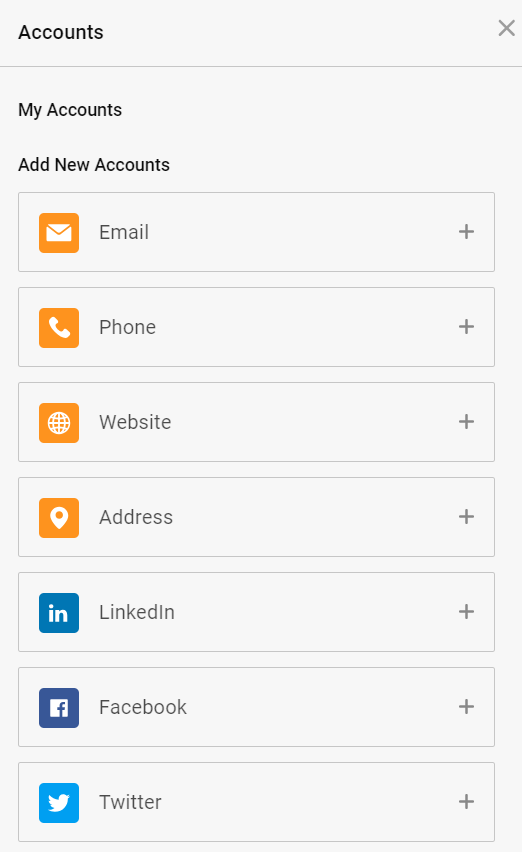
5. Click Update at the bottom of the pop-out screen to save your changes.
6. Click the Home button on the side panel to return to the APS Global Summit Event Platform Home Page or Lobby.
7. Please be sure to refresh your page after any updates or changes.