Navigating Roundtables
Roundtable Sessions are an opportunity for roundtable presenters to lead discussions on a particular topic with fellow attendees.
Roundtable Sessions are scheduled in 45-minute timeslots concurrently during designated times each day in the program schedule. Please note that there is a maximum of 25 participants in each roundtable session, in addition to the organizer and co-presenter, for a total of 27 attendees.
Please view all Roundtable Session Information within the Agenda feature. To access all Roundtable Sessions, please click on the Video Roundtables feature from the left-hand navigation.
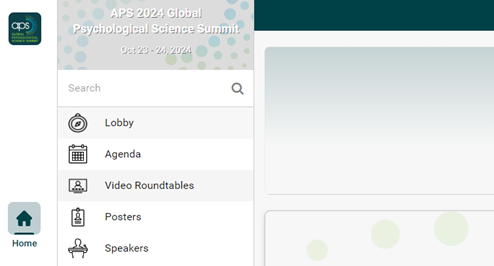
Searching Video Roundtable Rooms
Please view all Roundtable Session Information within the Agenda feature. To access all Roundtable Sessions, please click on the Video Roundtables feature from the left-hand navigation.
Once in the Video Roundtables feature, feel free to scroll through all of the roundtables. Additionally, you can use the search feature located in the top of the Video Roundtables section (shown below) to find a specific Video Roundtable Room by keyword or keyword in the title.
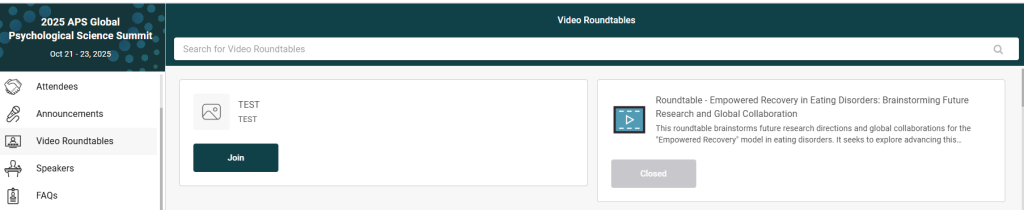
All Video Roundtable Rooms will display as “Closed” until the Video Roundtable Sessions start.
Please note that all scheduled times are listed in Eastern Daylight Time (EDT). The Global Summit Event Platform will convert the scheduled times to your local time zone. For your convenience, you may use this Time Zone Conversion Tool to view session times in your local time zone.
Your roundtable session has been scheduled in one of the following time slots:
Day 1 – Tuesday, October 21, 2025
- 12:00 pm – 12:45 pm EDT (16:00 – 16:45 UTC)
- 1:00 pm – 1:45 pm EDT (17:00 – 17:45 UTC)
Day 2 – Wednesday, October 22, 2025
- 5:00 pm – 5:45 pm EDT (21:00 – 21:45 UTC)
- 7:00 pm – 7:45 pm EDT (23:00 – 23:45 UTC)
Day 3 – Thursday, October 23, 2025
- 9:00 am – 9:45 am EDT (13:00 – 13:45 UTC)
- 11:00 am – 11:45 am EDT (15:00 – 15:45 UTC)
Joining a Video Roundtable Session
During Roundtable Sessions timeslots, APS will open all Video Roundtable rooms assigned to that roundtable timeslot. Once a Video Roundtable Room is open, the “Closed” button will display as “Join”.
Please note the following Video Roundtable Session Room Rules:
- An attendee can only join one room at a time, even if other rooms are open on separate browser tabs.
- Only 27 attendees can join each Video Roundtable room, including the the organizer and co-presenter.
- An attendee can only join rooms that are active and not full.
- If a room is full, i.e. 27 attendees are in the session, the button will say ‘Room is Full’.
If a room is available and not full, the button below the room title and description will say ‘Join’, as seen below:

Once you click “Join”, you will see the following screen:
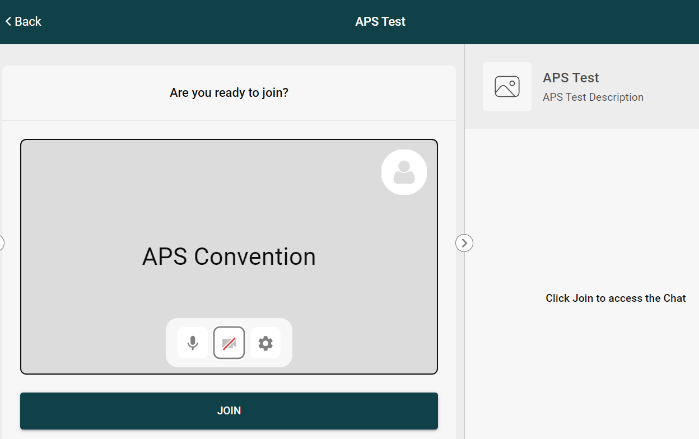
Next, click on the ‘Settings’ Icon to select the correct Microphone, Speaker, and Camera for your device, as seen below:
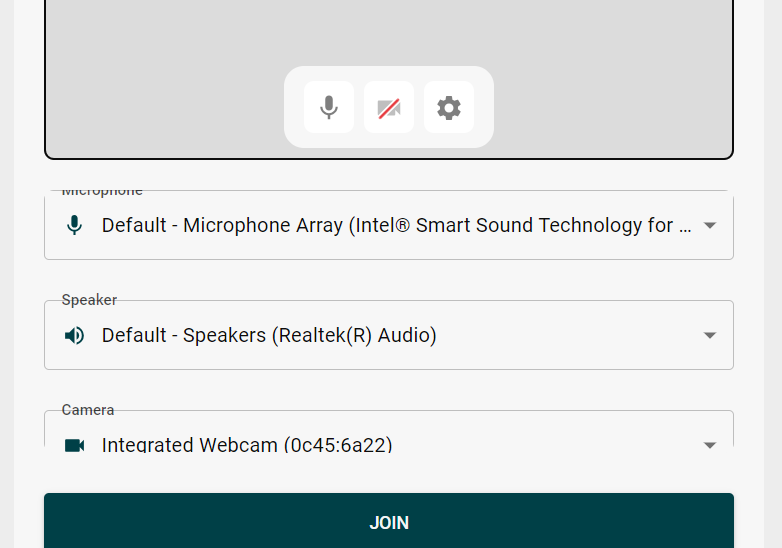
Once you are ready to join the session, click the ‘Join’ button to do so.
In the Session
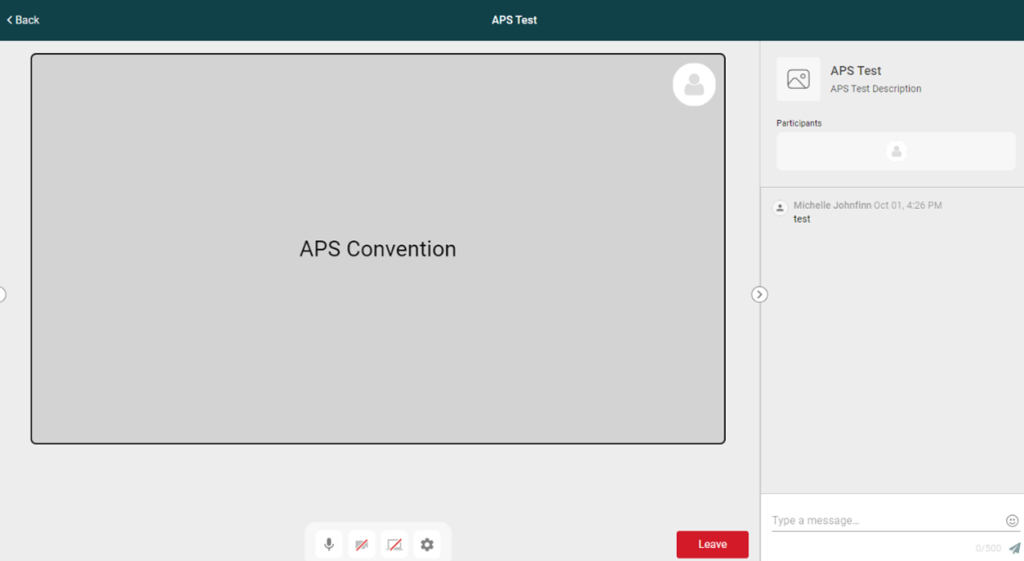
You are now in the Roundtable Session. Please note the chat feature in the bottom right corner, where you may ask presenters questions during their presentation. Enjoy the roundtable session!
Roundtable Troubleshooting Tips
Audio and Video Tips:
- Check browser permissions, microphone and camera permissions are enabled
- Ensure that you have enabled the correct microphone and camera when they joined the session.
- Clear cache/cookies in browser
- Disable all VPNs if being used
- Try leaving and rejoining the session
Screen Sharing Tips:
- Screensharing works best with 2 screens.
- Screensharing works best on a fast computer with a clear connection.
- Try screensharing a browser tab instead of a window if screensharing issues persist.
- If you need attendees to hear your audio, please share a specific tab and select the “Share” audio checkbox in the lower left corner of the pop-up window.
Session Not Loading Tips:
- Refresh the page.
- Try a different browser (Chrome preferred).
- Restart the computer if needed.
Please reach out to the APS Help Desk or alert the APS staff member in the video roundtable room if issues persist.
APS Code of Conduct
Please be aware of the APS Code of Conduct while navigating the online platform.